Why I’m testing this card
My phones have always had eSIM, and I’ve watched friends write eSIMs with a card reader — always a hassle. I’ve been looking for an eSIM card that writes over Bluetooth. After searching online, the most recommended one was the 9eSIM B1, so I contacted the company directly and asked for a sample card to test.
Price and official specs
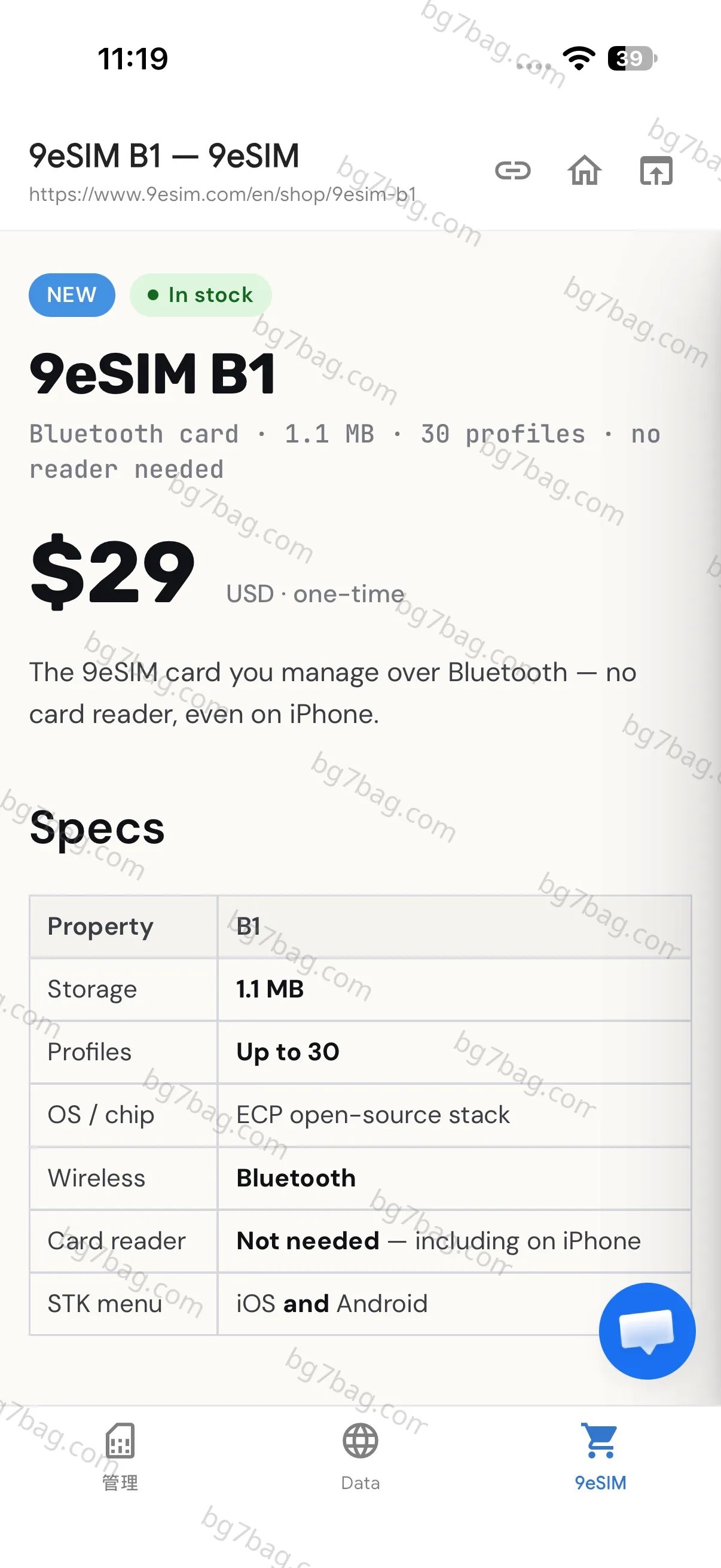
$29, one-time, in stock. A Bluetooth card with 1.1 MB of storage and up to 30 profiles — no card reader needed, not even on iPhone. The chip runs an ECP open-source stack, and the STK menu works on iOS and Android. Get it here: 9eSIM B1 on 9esim.com.
Capacity: enough is enough
1.1 MB and 30 profiles is plenty for one person — nobody uses that many cards. And no matter how convenient the management is, human memory is limited: with too many cards on it, you won’t remember which card is for which country. The capacity is just right. There’s no need to chase a bigger card.
Unboxing: like receiving a red envelope
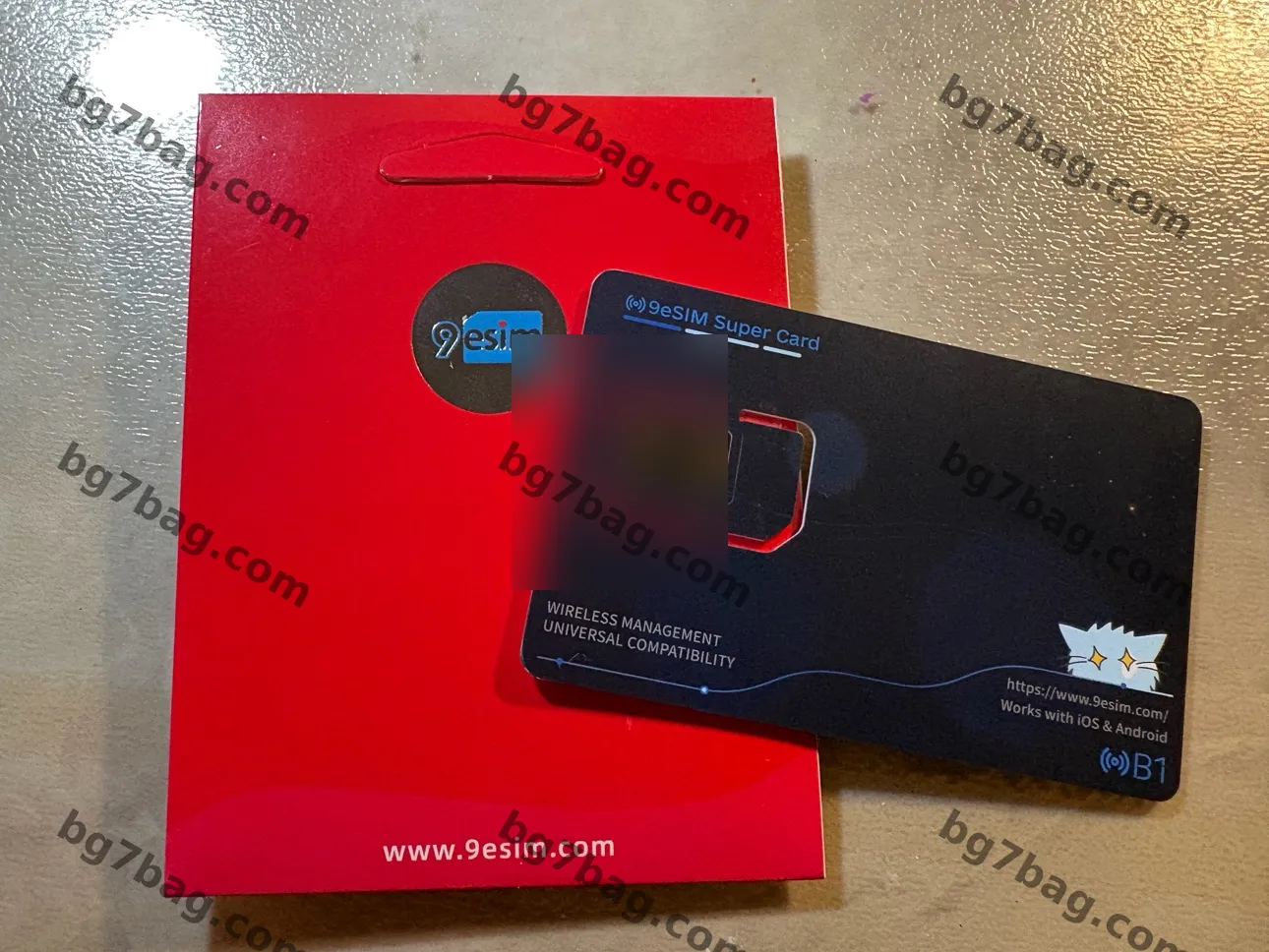
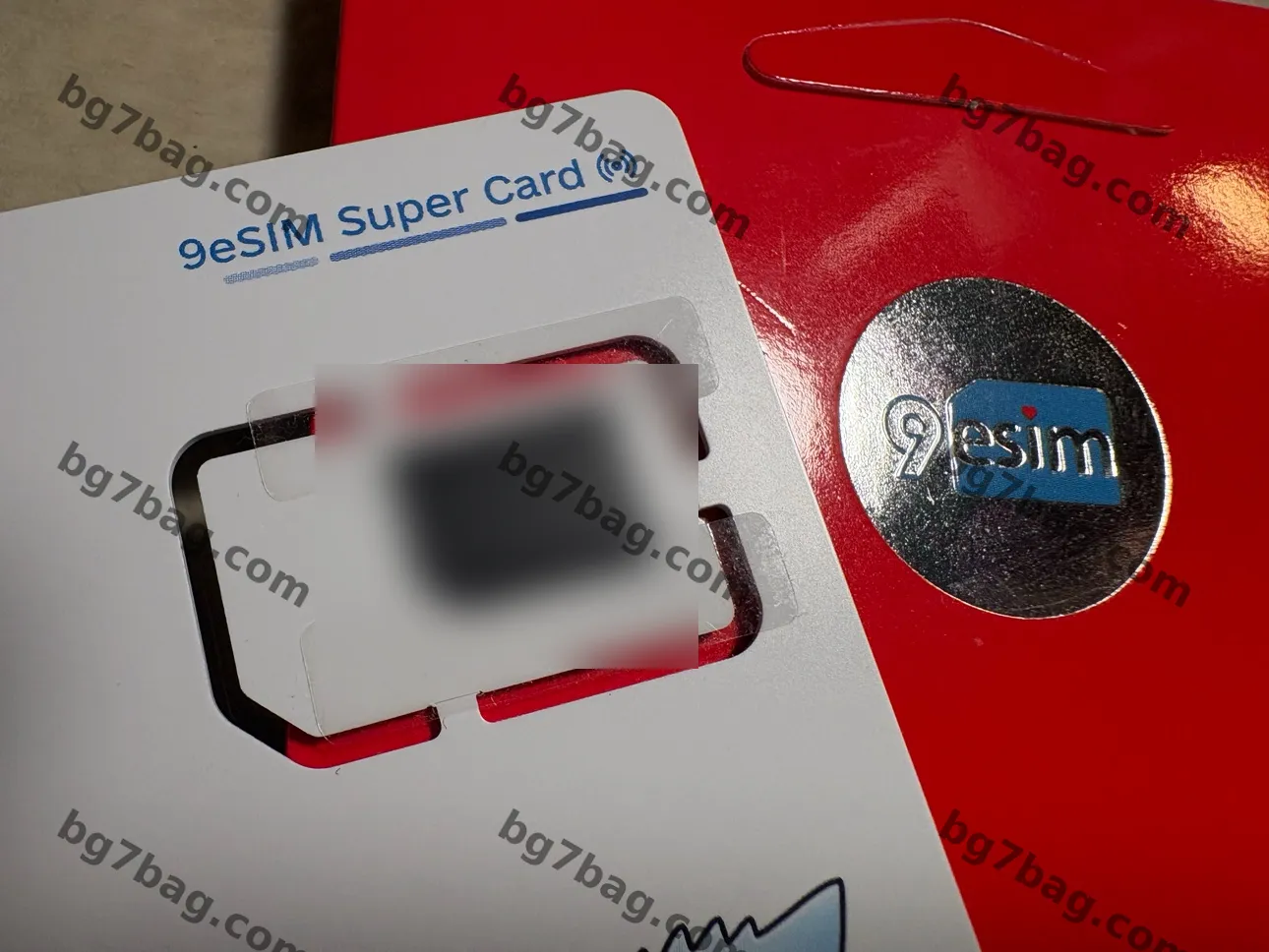
It arrived in the evening. The packaging is bright red on the front — at first glance, it looks like a Chinese red envelope. It made me smile. The front has a gold-foil 9eSIM logo, very nicely done, with the 9eSIM web address below it. Simple, clean design with a festive red — receiving it around New Year would feel exactly like getting a red envelope. The packaging suits my taste very well.
Build: the metal contacts
Once opened, the SIM metal contacts feel well finished: well polished, good color, very nice — you can see it in the photo. The contacts are 6 separate round gold dots (3 on each side), not one solid gold plate like a traditional SIM. The gold is only where the contacts are; the middle is a black substrate, so it looks like dots rather than a sheet. This is a module-packaging difference — the early version from a year ago still had the traditional SIM layout, while this generation (V3, B1) uses a new eUICC module.
Electrically it’s identical: the same 6 ISO 7816 contacts. The spring pins in the phone’s SIM tray only touch those 6 points, so the shape makes no difference in use. It saves gold, and comes from a change of module supplier and packaging process. The gold dots are thick, bright, with clean edges — they look more refined than one big gold sheet.
Packaging detail: clear tape holds the chip
The chip on the back of the card is held in place with clear tape, so it won’t fall off in shipping. A thoughtful touch. It arrived as one full-size SIM card, unaffected by shipping.
Card information (verified)
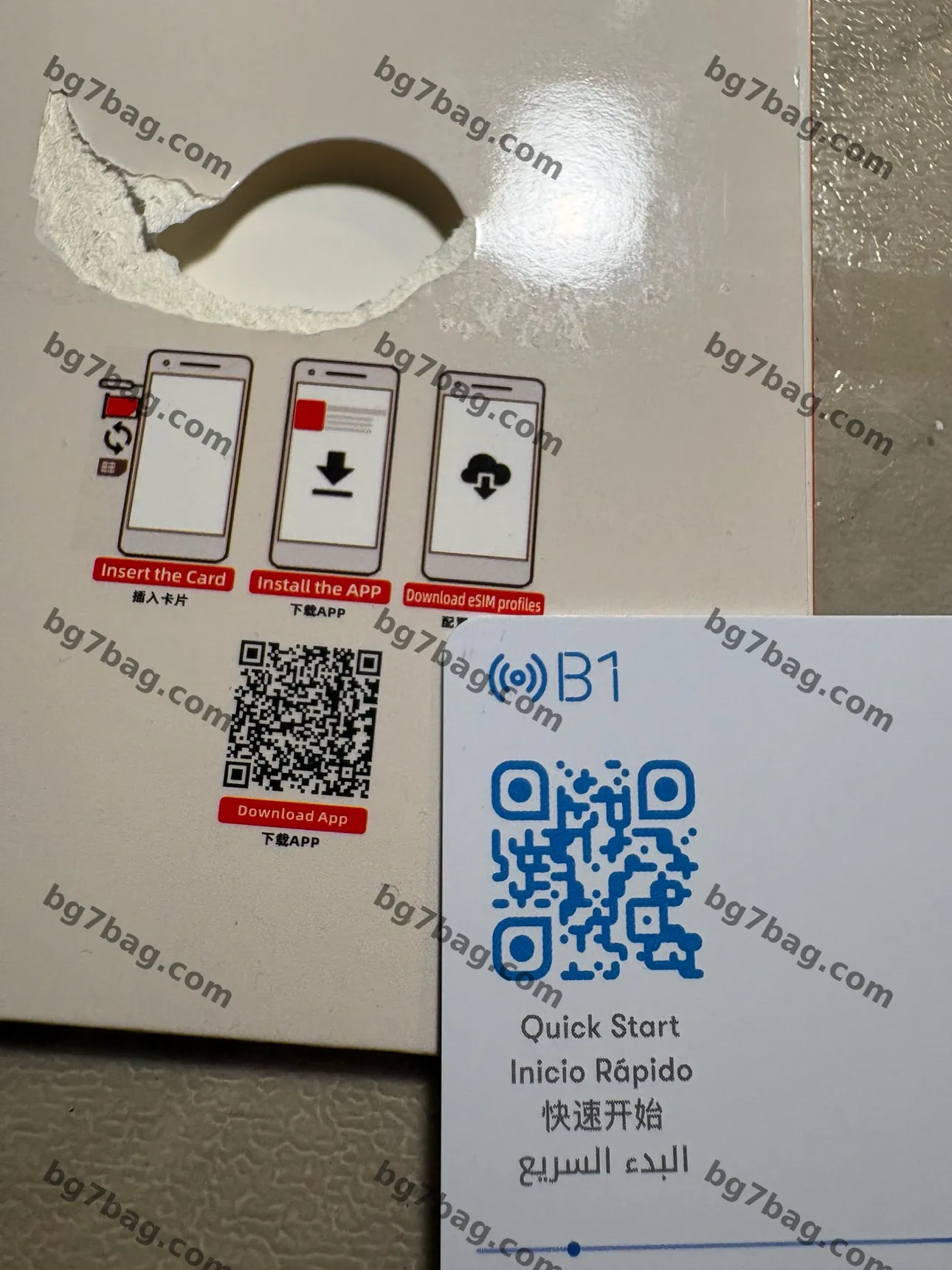
Four languages on the back of the card, under the blue QR code — Quick Start in four versions: English “Quick Start”, Spanish “Inicio Rápido”, Chinese “快速开始”, Arabic “البدء السريع”.
Three-step diagram on the back of the packaging: Insert the Card → Install the APP → Download eSIM profiles (the Chinese for step 3 is covered by the card in the photo).
Both QR codes decoded and verified — no privacy issues, safe to publish:
- Black code on the packaging: 9eSIM app download page (9esim.com/ecosystem-software-download/), a generic link.
- Blue code on the card: ble.9esim.com (Bluetooth quick-start page), a generic link with no card number, EID, or personal information.
The app
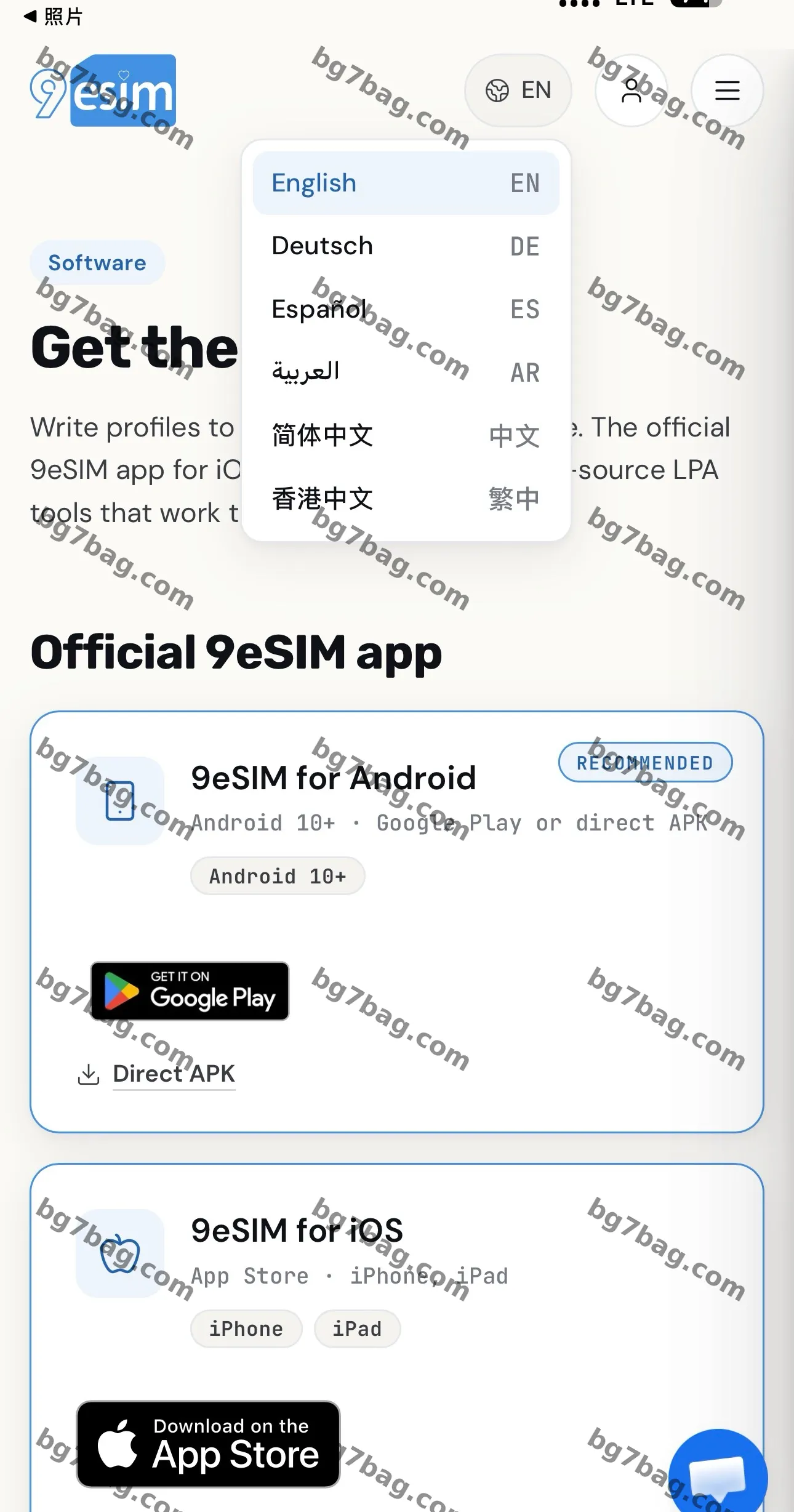
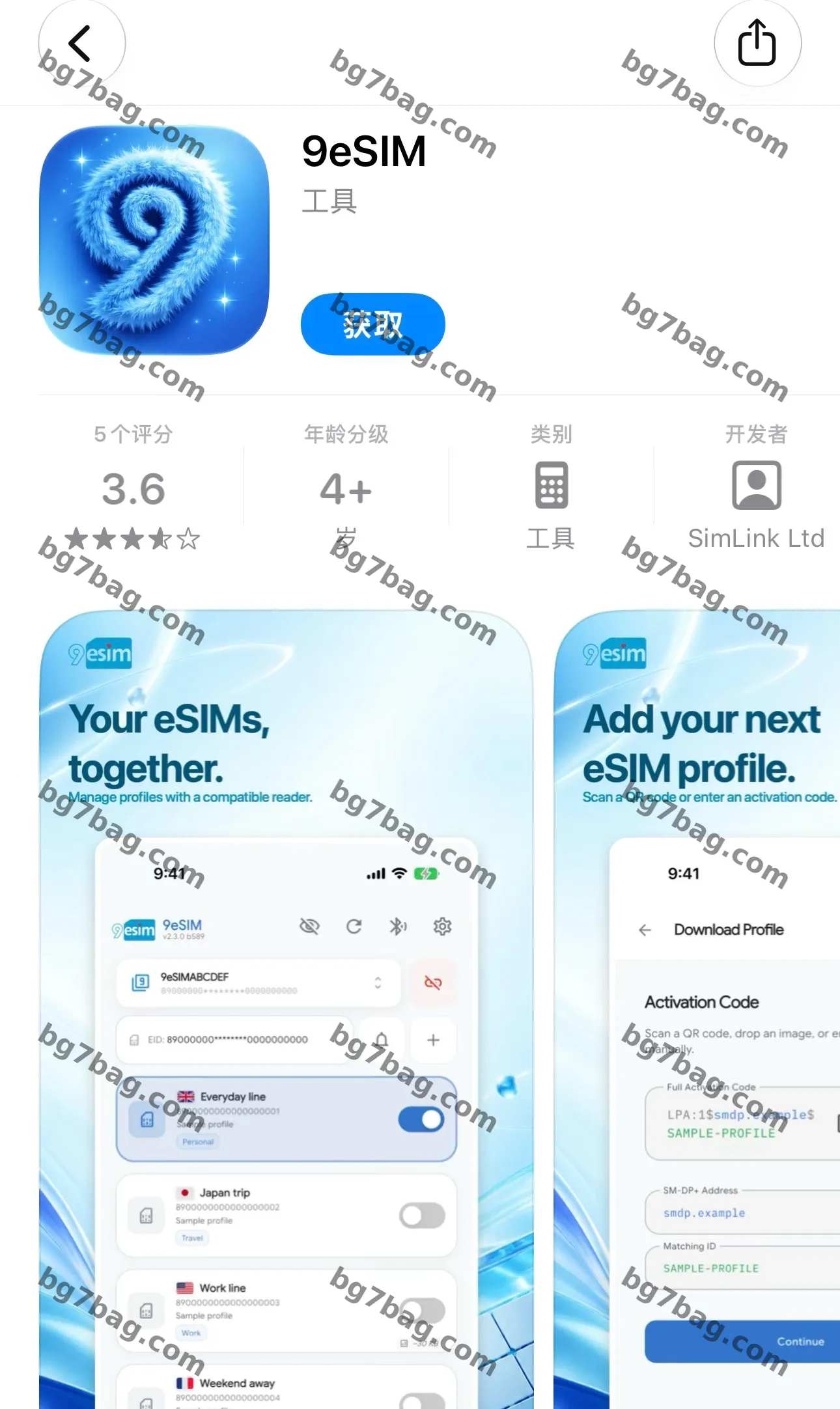
The download page on the website supports 6 languages: English, Deutsch, Español, العربية, Simplified Chinese, and Traditional Chinese (Hong Kong).
iOS app: on the App Store, by SimLink Ltd, Utilities, 4+; current version 2.4.4 build 604.
Android: Android 10+, from Google Play or direct APK (marked RECOMMENDED on the website).
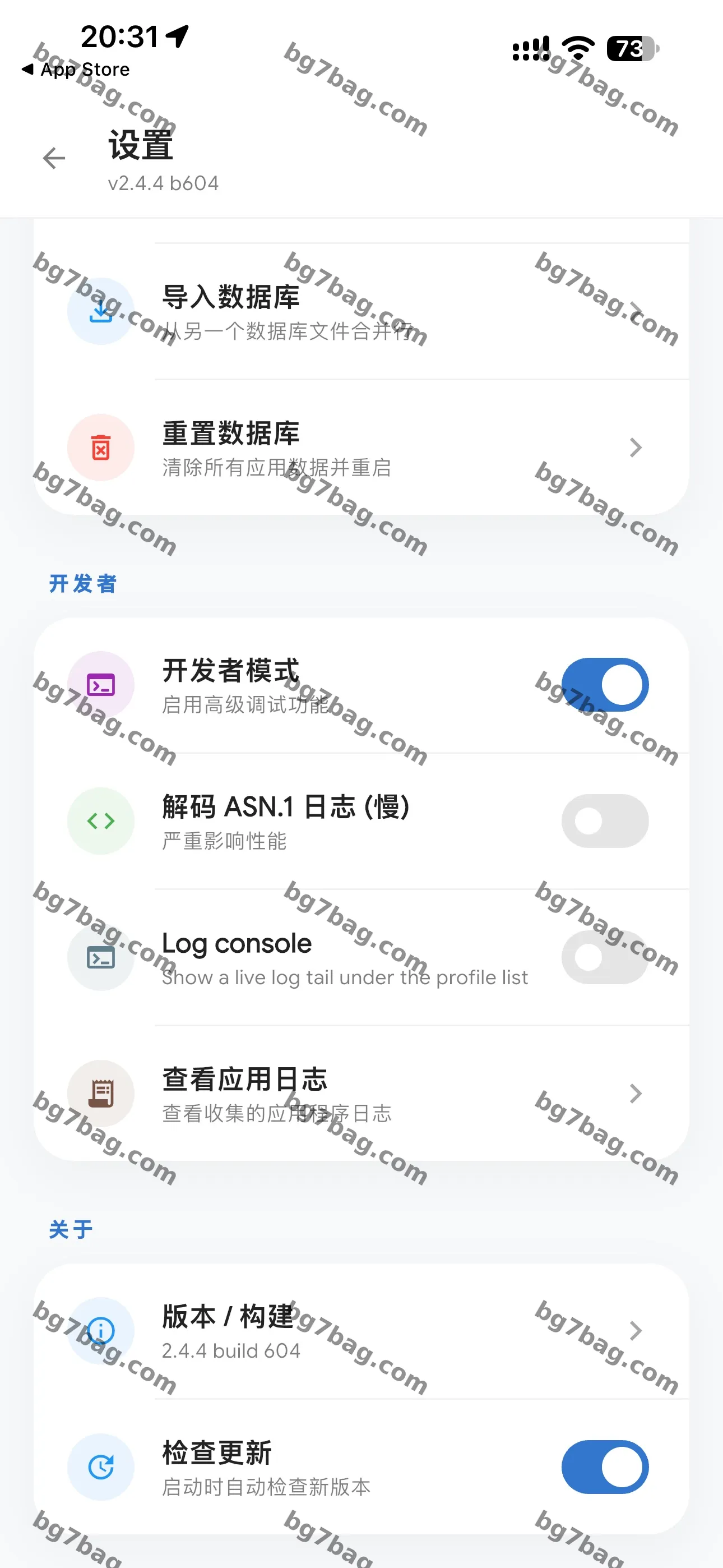
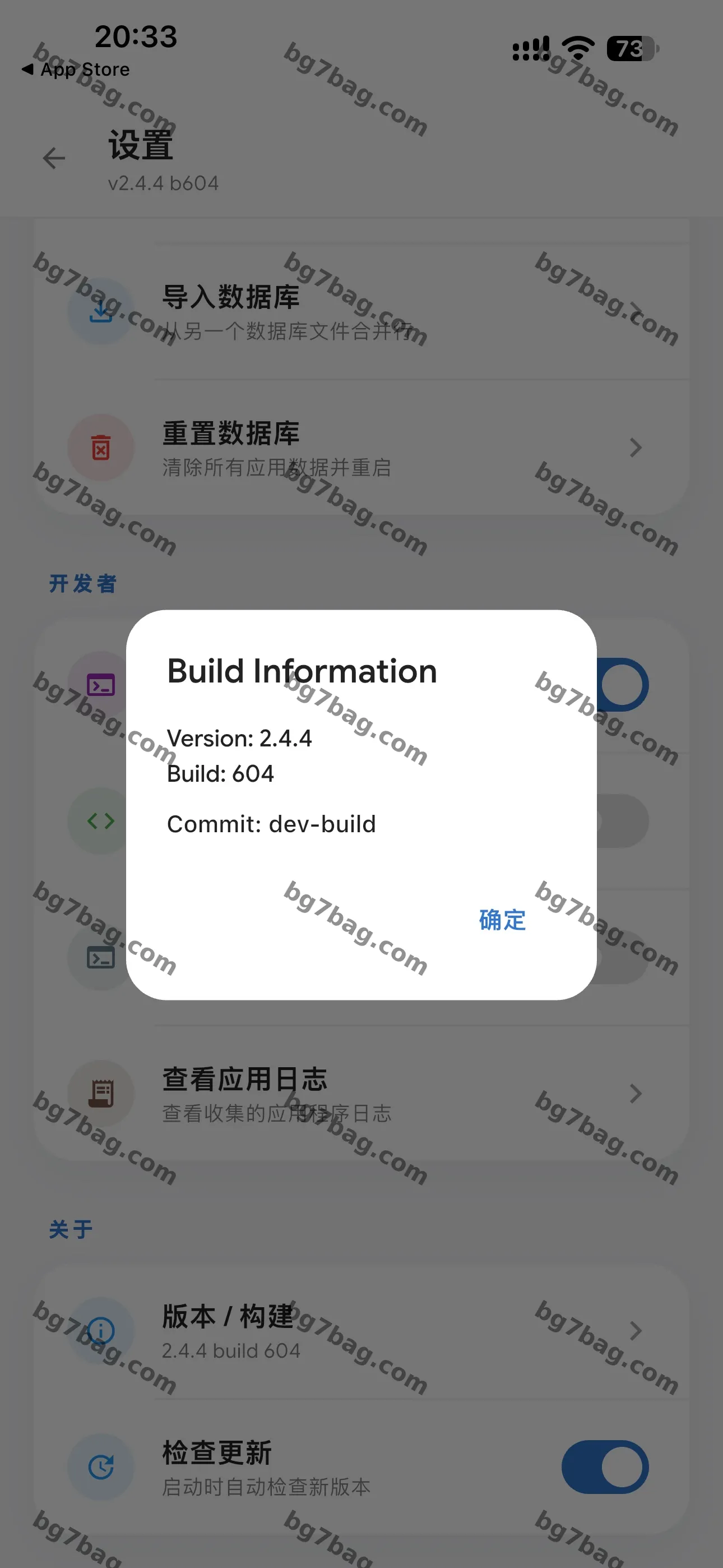
Settings page: import database, reset database, developer mode, decode ASN.1 logs, Log console, view app logs, version/build, check for updates.
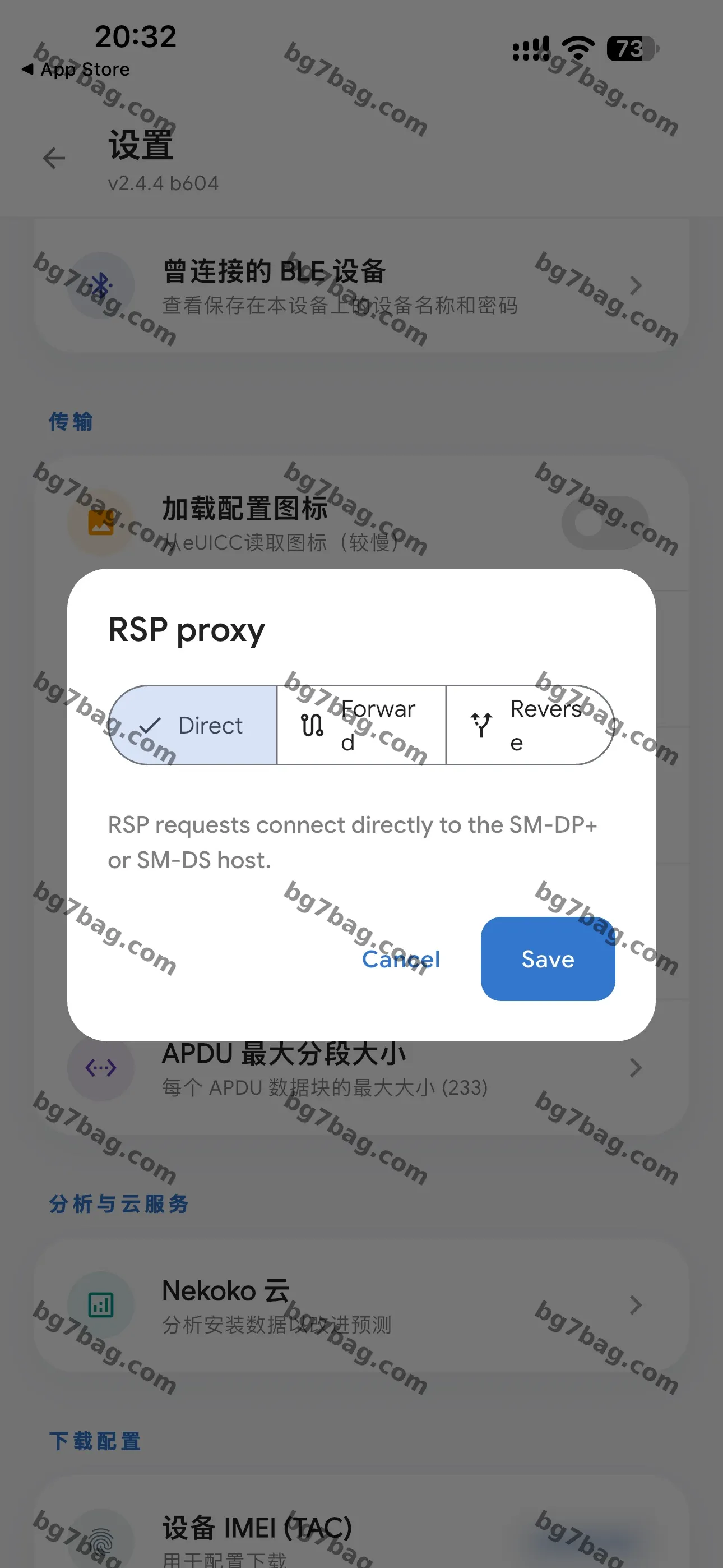
Advanced features: RSP proxy in three modes (Direct / Forward / Reverse — connect directly to the SM-DP+ or SM-DS server), APDU max segment size 233, a list of previously connected BLE devices, load configuration icon.
One analytics feature: Nekoko Cloud (analyses install data to improve predictions).
Privacy note: the device IMEI (TAC) in the settings screenshot is blurred (a TAC is only a model code — it doesn’t identify an individual).
Hands-on: iPhone 16 Pro
Test phone: iPhone 16 Pro. Insert the card, download the app, then search over Bluetooth — the phone finds the card quickly. Bluetooth discovery is very fast: after inserting the card, the phone prompts you to turn on Bluetooth, and it finds the card within a second or two. The whole process is simple — nothing to type in between.
I tested with Nomad’s free trial: China 1GB for 3 days, $0.
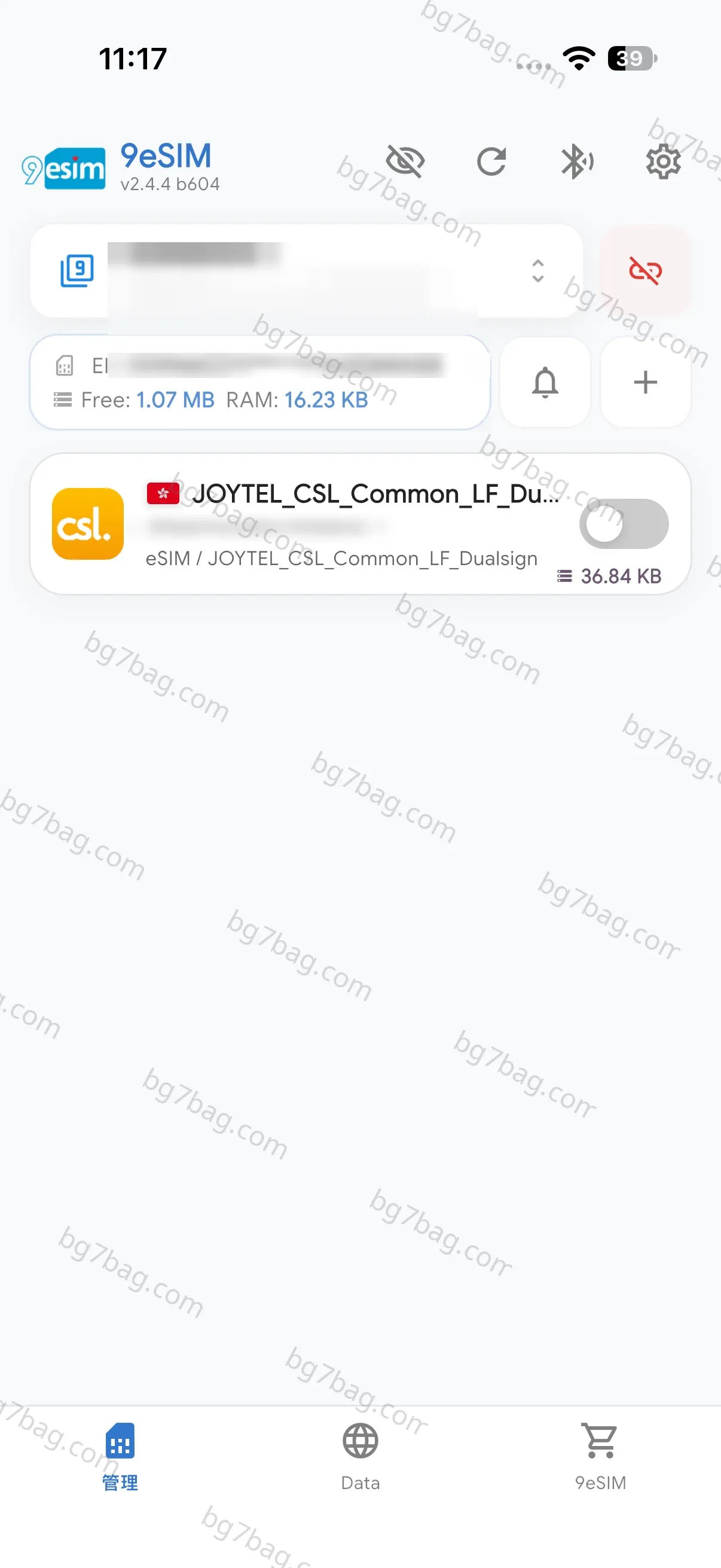
Note: this “China” plan is actually a Hong Kong CSL card. The profile installed on the card is JOYTEL_CSL_Common_LF_Dualsign, PLMN 454 00 (Hong Kong CSL), roaming onto China Unicom here — the settings page shows network: China Unicom, 4G, data roaming on. If you buy a “China” plan, know that behind it is a Hong Kong card roaming.
Downloading the profile: estimated download size 37.24 KB.
After installing, it says “Profile successfully installed to your eUICC” — 36.84 KB used, 1.07 MB free. One profile is about 37 KB, so the official “up to 30 profiles” claim checks out against the 1.1 MB of storage.
One hiccup: after the profile was installed, the card wouldn’t start. I powered the phone off and restarted it — it worked right away, and the signal came up.
Data works. I tried two profiles, and switching between them is very convenient.
Writing over Bluetooth is very convenient: no computer, no card reader to carry when you travel. Insert the card, find it, write to it, and it’s ready to activate right away.
Tip: install via QR code, scanning with the phone that has the card in it. This isn’t a native eSIM, and if something goes wrong in the middle, many cards charge per write — a failed install that needs a second write can cost money or get stuck. Scan the QR code in, and it installs the first time.
During the operation, don’t power off the phone or do other things — do it with the battery well charged.
Verdict
This is my first time with this kind of 9eSIM product. First time using one, and I still installed it without trouble. The app looks complicated, but the functions you actually use are very few: get the QR code, scan it, download, and follow the prompts step by step. From my experience so far, it has fully met my expectations. I recommend buying one.